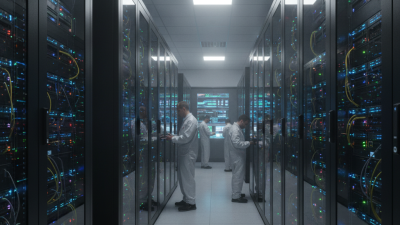
A Server Center is the physical foundation behind websites, cloud applications, artificial intelligence, and business data. It contains servers, storage systems, network switches, power equipment, cooling units, and security controls. Picture rows of black racks, blinking status lights, overhead cables, and carefully managed airflow. It is not merely a room full of computers. It is an engineered environment designed to keep digital services available.
The International Energy Agency reported that data centers consumed about 460 terawatt-hours of electricity globally in 2022. Its 2024 analysis expects consumption to exceed 1,000 terawatt-hours by 2026 in some scenarios. That growth makes efficiency important. The Uptime Institute’s 2024 Global Data Center Survey also found that 54% of respondents said their latest outage cost more than $100,000. Small failures can become expensive quickly. Sometimes, one failed power module is enough.
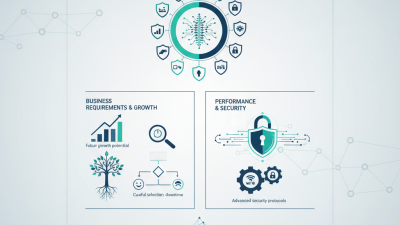
Andy Lawrence, Executive Director of Research at Uptime Institute, described data centers as “the factories of the digital age.” The comparison is useful. Like factories, they process inputs, follow strict procedures, and depend on reliable infrastructure. However, the analogy is imperfect. A Server Center also requires cybersecurity, redundant networks, environmental monitoring, and rapid incident response. This guide explains how these systems work together, from incoming electricity and cooling to data delivery and backup recovery. It also examines common design choices, including on-premises facilities, colocation sites, and cloud regions. The technology changes quickly. Some explanations may simplify complex engineering decisions, but that limitation deserves attention. Understanding the basics still helps readers ask better questions about performance, resilience, cost, and responsible energy use.
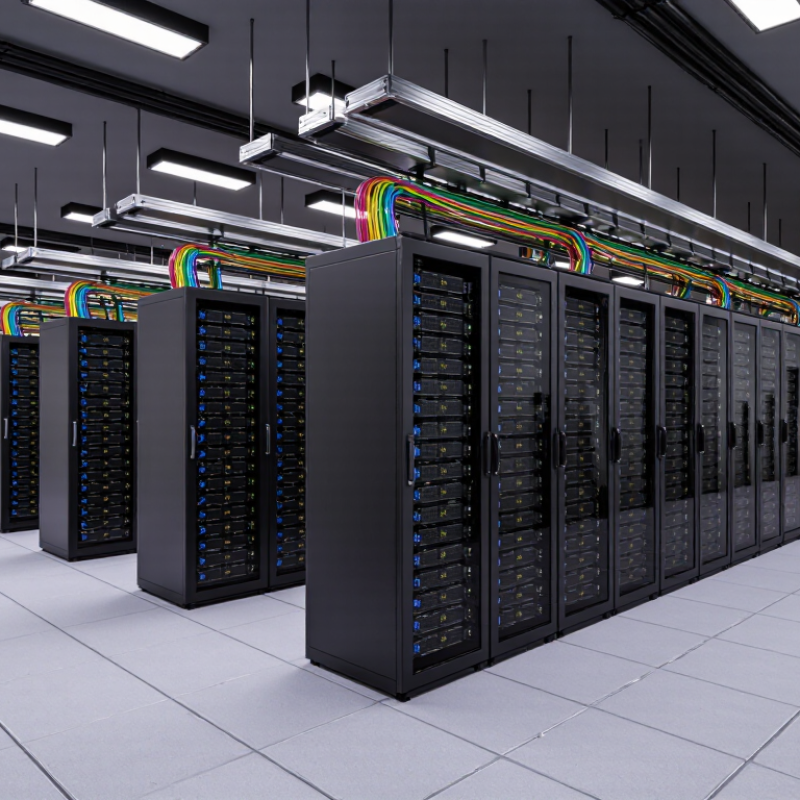
What Is a Server Center?
A server center is a controlled facility that houses computer servers, storage systems, and network equipment. It supports websites, business software, databases, and digital services. Inside, rows of cabinets hold machines that process requests and store information. Each cabinet needs steady power, airflow, and physical protection.
A server center works through several connected systems. Servers receive data requests, process them, and return results through network connections. Cooling equipment removes heat from running machines. Backup power helps maintain operations during electrical problems. Security controls may include cameras, access records, fire detection, and restricted entry areas. Technicians monitor temperature, hardware health, network traffic, and unusual activity. A loose cable can stop a service. That sounds simple, but real maintenance is rarely simple.
Tips: Keep equipment labeled and maintain clear access paths. Test backup power and recovery procedures regularly. Store important data in separate locations. Review access permissions often, even when nothing seems wrong. A practical checklist helps, although no checklist catches every problem. Staff should record unusual noise, rising temperatures, or repeated alerts before a small issue becomes expensive.
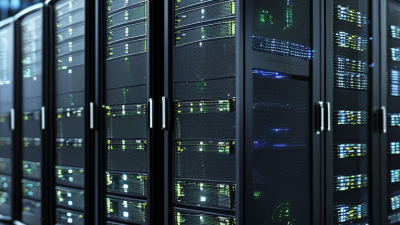
A server center, also called a data center, is a facility that houses computing, storage, networking, power, and cooling systems. The chart shows estimated global electricity consumption by data centers, illustrating the growing energy required to run digital services and infrastructure.
Unit: Terawatt-hours (TWh). Global data center electricity consumption was estimated at about 240 TWh in 2022 and is projected to reach approximately 620 TWh by 2026.
A server center is a controlled facility that houses computing equipment and supporting systems. Its main components work together to keep digital services available. Inside, metal racks hold servers, storage units, and network devices. Each server processes requests, while storage systems preserve databases, files, and backups. Small details matter. A loose cable or blocked air vent can interrupt operations.
Network switches direct traffic between servers and external connections. Fiber links often carry large amounts of data across the facility. Power systems usually include distribution panels, batteries, and backup generators. These layers reduce the risk of downtime during electrical problems. Cooling equipment removes heat produced by processors and storage devices. Cold air enters the front of the racks, while warm air leaves behind them.
Operations teams monitor temperature, power use, network activity, and hardware health around the clock. Sensors can detect unusual heat before equipment fails. Access controls, cameras, and visitor records help protect the physical environment. Fire detection and suppression systems add another safety layer. Redundant components improve resilience, but they also increase cost and maintenance work. No design is perfect. Even careful teams can overlook a failing battery or outdated alarm. Regular inspections, clear procedures, and trained technicians remain essential. Reliable operation depends on both engineering and human judgment.
A server center is a controlled facility where computing equipment receives, processes, and stores digital information. Its work begins when a request reaches a network gateway. Servers then divide the task into smaller operations. Processors handle calculations, while memory keeps active instructions close at hand. Storage systems retain files, databases, images, and transaction records. The process is fast, but not effortless.
Data usually moves through several protection layers. Redundant power systems keep equipment running during electrical faults. Cooling units remove heat from dense racks. Network switches direct traffic between servers and storage devices. Copies may be placed in separate rooms or facilities. If one component fails, another can continue the workload. According to the International Energy Agency’s Electricity 2024 report, data centers consumed about 460 terawatt-hours globally in 2022. That demand could reach 620 to 1,050 terawatt-hours by 2026. Efficiency is therefore an operational issue, not decoration.
Storage also requires judgment. Frequent data may stay on fast media, while older records move to slower, lower-cost systems. Backup schedules reduce the damage caused by deletion, corruption, or hardware failure. The Uptime Institute Global Data Center Survey 2024 reported an average power usage effectiveness of about 1.58 among respondents. Lower is generally better. Still, efficiency figures can hide weak maintenance or incomplete measurement. A server center can appear resilient until a cooling sensor fails, a backup is unusable, or staff discover that recovery takes longer than planned. Reliable operations need testing, records, and uncomfortable questions.
A server center is a secured facility that stores applications, databases, and computing equipment. Networks connect users to these resources through several coordinated steps. When someone opens a website, the Domain Name System finds its server address. The request then travels through a home router, an internet provider, regional routers, and high-capacity backbone links. Each router reads the destination and forwards small data packets along an available path.
The International Telecommunication Union’s Facts and Figures 2024 report estimated that 5.5 billion people used the internet. That scale creates constant pressure on network capacity. Internet providers exchange traffic through peering connections or paid transit routes. Many server centers also use nearby caching locations, reducing the distance that popular files must travel. Still, the shortest path is not always the fastest. Congestion, packet loss, and overloaded equipment can add noticeable delay.
A practical test shows the difference. A user may see a strong signal but experience slow loading because the wider route is crowded. Monitoring tools measure latency, jitter, packet loss, and response time between network points. The International Energy Agency’s Electricity 2024 report projected that data center electricity use could reach about 945 terawatt-hours by 2030. More computing demand therefore affects both facility design and network planning. Engineers need redundancy, but redundancy adds cost and sometimes complexity. Perfect reliability is an engineering goal, not a permanent condition.
| Data Dimension | Typical Information | How It Supports User Connectivity | Operational Consideration |
|---|---|---|---|
| Server Center Definition | A secured facility that houses computing, storage, networking, power, and cooling systems. | It receives requests from users and delivers applications, files, websites, and other digital services. | Physical access, environmental conditions, and equipment layout must be controlled. |
| User Device | A computer, smartphone, tablet, sensor, or other network-connected endpoint. | The device starts a request through a web browser, application, API client, or network service. | Connection quality depends on the device, local network, wireless signal, and access provider. |
| Access Network | The local or last-mile network connecting a user to an upstream network. | It carries data from the user device toward the server center and returns response traffic. | Bandwidth, congestion, wireless interference, and service interruptions can affect performance. |
| Domain Name System (DNS) | A distributed naming system that translates human-readable domain names into IP addresses. | It helps the user's device locate the appropriate server or traffic-routing endpoint. | Caching can reduce lookup time, while incorrect records can direct users to unavailable services. |
| Internet Routing | Routers and routing protocols select paths between separate networks. | Packets are forwarded across interconnected networks until they reach the destination service. | Route changes, congestion, and network failures may increase latency or cause packet loss. |
| Edge or Traffic Distribution Layer | A nearby network or service layer that may cache content, filter traffic, or distribute requests. | It can shorten network distance and direct requests to an available server or application instance. | Configuration must keep cached content, security rules, and routing decisions consistent. |
| Firewall and Security Controls | Firewalls, access-control rules, encryption, authentication, and monitoring systems. | They inspect or restrict traffic and help protect services, data, and management interfaces. | Rules should be updated, logged, tested, and designed to avoid blocking legitimate users. |
| Application Server | A system that runs application logic and processes user requests. | It interprets requests, applies business rules, and generates responses for connected clients. | Capacity planning, software updates, and health checks help maintain availability. |
| Database and Storage Systems | Systems that store structured records, files, images, backups, and application state. | They provide the information required to complete a request and preserve user-generated data. | Access permissions, redundancy, backups, and recovery testing are essential for data protection. |
| Network Protocols | Standards such as IP, TCP, UDP, TLS, and HTTP define how data is addressed, transported, and secured. | Protocols allow different devices and networks to exchange data in a predictable way. | Protocol settings influence reliability, security, compatibility, and response time. |
| Power Infrastructure | Utility feeds, power distribution units, batteries, and backup generation equipment. | It keeps networking and computing equipment operating during short interruptions or power events. | Capacity, maintenance, fuel or battery readiness, and redundancy require continuous management. |
| Cooling and Environmental Control | Airflow management, cooling equipment, humidity control, and temperature monitoring. | It keeps hardware within operating conditions so services can continue reliably. | Hot spots, cooling failures, and inefficient airflow can reduce equipment life and availability. |
| Availability and Redundancy | Duplicate components, multiple network paths, failover systems, and replicated data. | Traffic or workloads can be moved to healthy systems when equipment or links fail. | Redundancy improves resilience but adds cost, complexity, and testing requirements. |
| Monitoring and Operations | Tools and procedures for tracking availability, latency, capacity, errors, security events, and hardware status. | Operational teams can identify abnormal conditions and respond before users experience prolonged disruption. | Alerts should be actionable, measured against service objectives, and reviewed after incidents. |
| Typical Request Sequence | Device request → DNS lookup → network routing → security inspection → application processing → data retrieval → response. | Each stage contributes to the final user experience and determines how quickly content or functionality is returned. | Troubleshooting should examine every stage, including the user's network and the server center's internal systems. |
A server center houses computing equipment that supports websites, applications, storage, and internal operations. Its security begins with controlled entry, not just locked doors. Staff may use identity checks, access cards, cameras, and visitor records. Sensitive rooms often require two-person approval. Physical barriers matter because one careless entry can expose critical systems.
Reliability depends on removing single points of failure. Uninterruptible power supplies keep equipment running during brief outages. Backup generators support longer disruptions. Cooling systems control heat, humidity, and airflow around crowded racks. Network paths and storage systems may also use redundant components.
Monitoring tools track temperature, power quality, unusual traffic, and hardware warnings. Small alerts deserve attention. A minor fan fault can become a costly shutdown.
Maintenance is continuous, documented, and sometimes inconvenient. Technicians inspect cables, clean filters, test batteries, apply security updates, and review access logs. They also test backups by restoring selected files, not merely checking successful reports. Emergency drills reveal weaknesses that routine procedures hide.
No facility is perfectly secure. A missed update or poorly labeled cable can undermine expensive protections. Maintenance records, clear responsibilities, and independent reviews improve reliability over time. The strongest centers keep questioning their own assumptions.